Roadmap
About the Roadmap template
The Roadmap template is there to give you an easy and stylized way of visualizing your plans for further updates, be that a service, product or and API. To that end, the Roadmap template is available to use under any regular page!
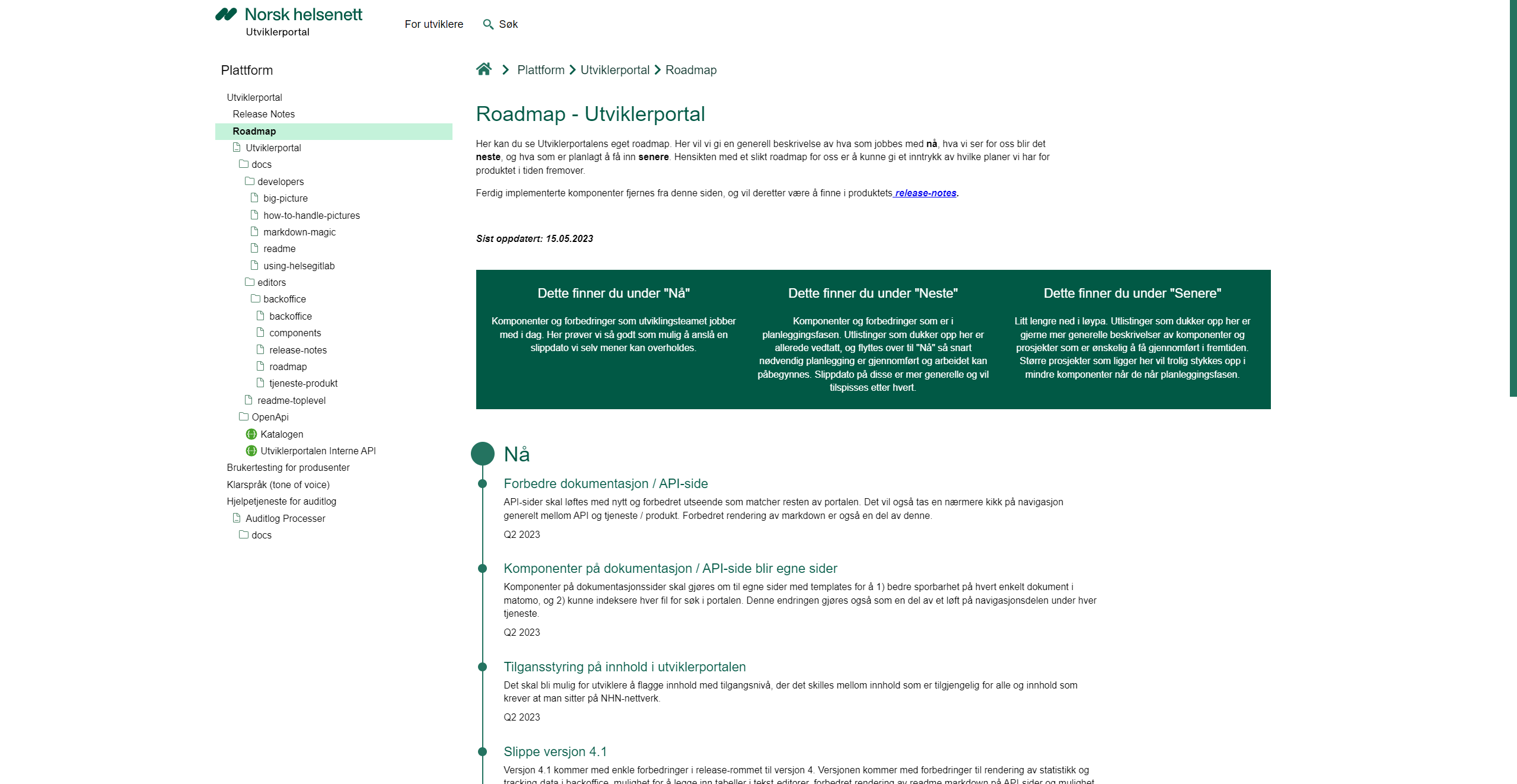 The roadmap template.
As for our own plans further ahead, we are working on a way to also enable developers to add roadmaps to their documentation through HelseGitLab / Milliways.
Inputs
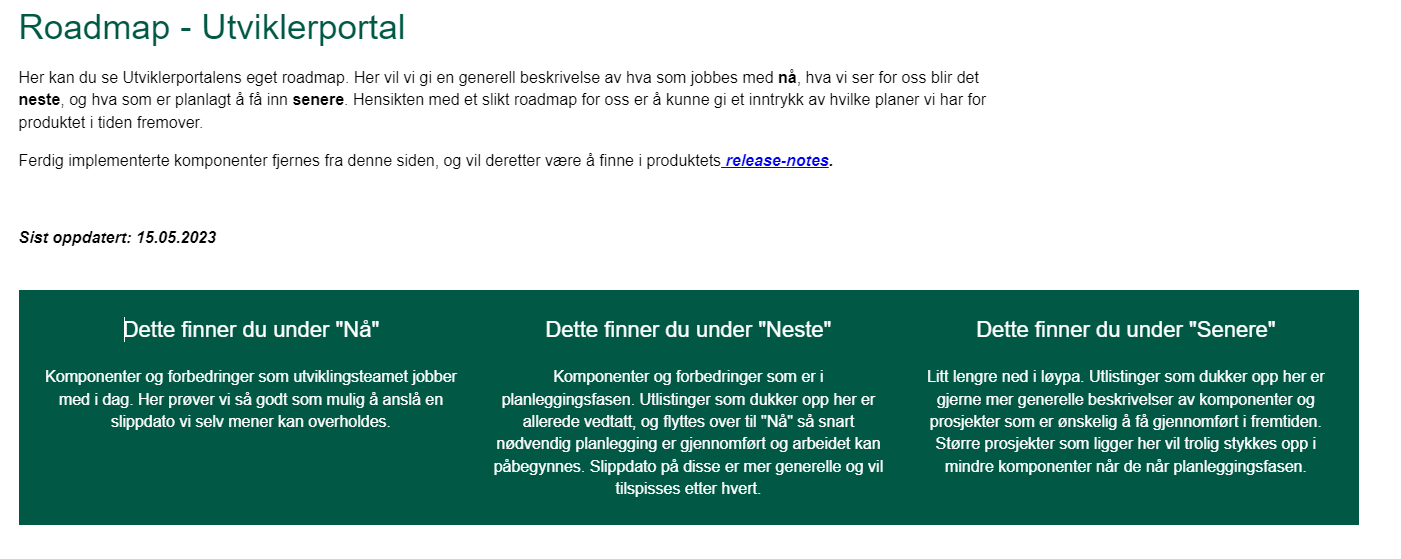
In terms of inputs, the roadmap will ask for some descriptive text inputs to begin with. Here we simply ask you to detail what the terms "now", "next" and "later" means to you and your roadmap. You will find these inputs in the first tab when you open a Roadmap content node.
After providing some text for these fields, the top of your template should look something like this:
By clicking the second tab for entries ("innslag" in Norwegian) you will be presented with three content editors, each covering your "now", "next" and "later" entries respectively. Here you can add as many entries to your roadmap as you would like.
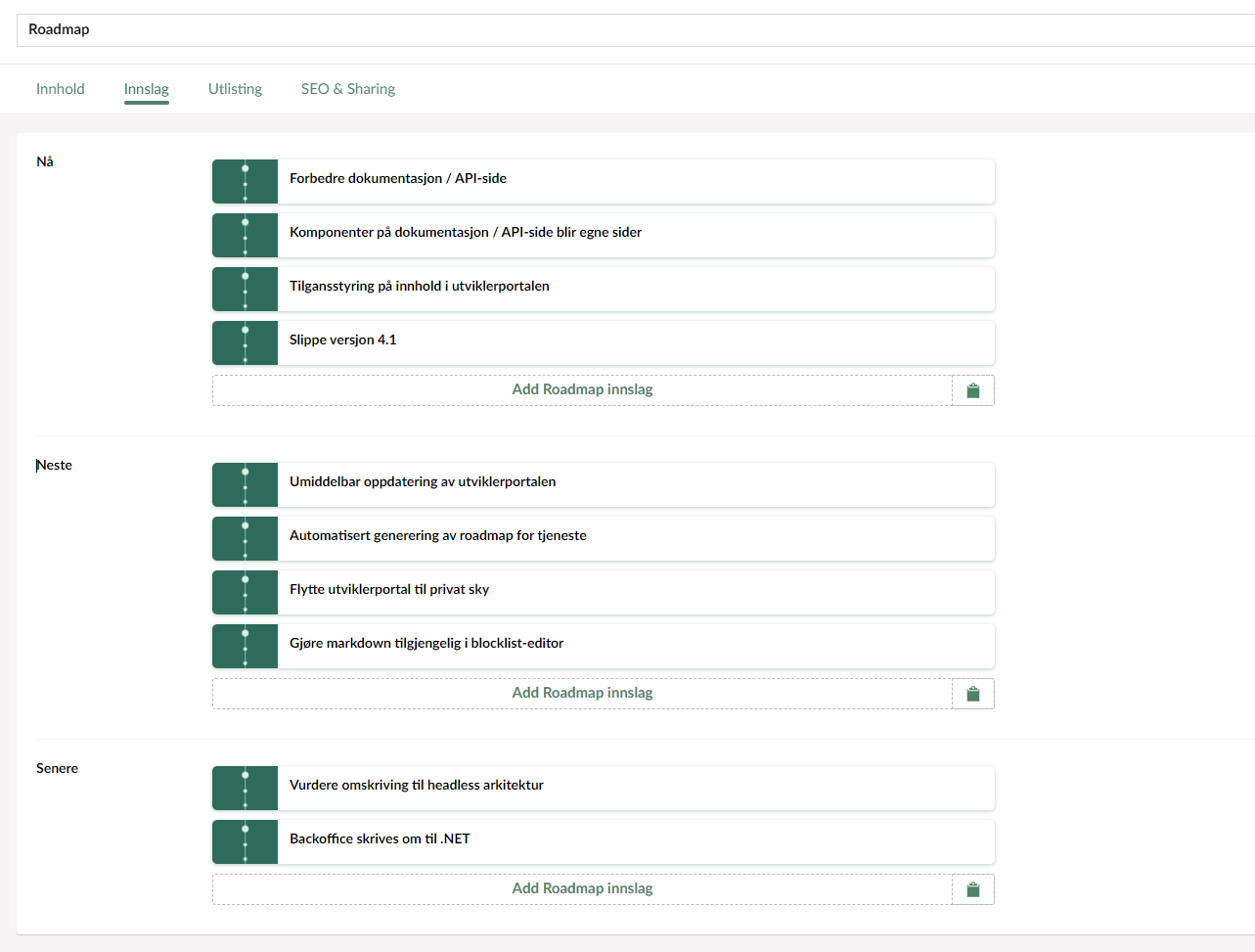
These content editors behave in the same way as your component editor as discussed in the "components" section of our documentation. Simply press "Add content" to create a new entry, drag them around to sort, hover over them to find the delete button should you need it.
When adding or editing a Roadmap entry you will be able to provide a title, a description, and finally a planned release date. We do not provide a date picker for the latter as we know these dates might be quite vague if you are still in the planning phases, so feel free to set something like "Q2 2023" or, you know, anything really.
Entries in place, your Roadmap's front-end will present them like this:
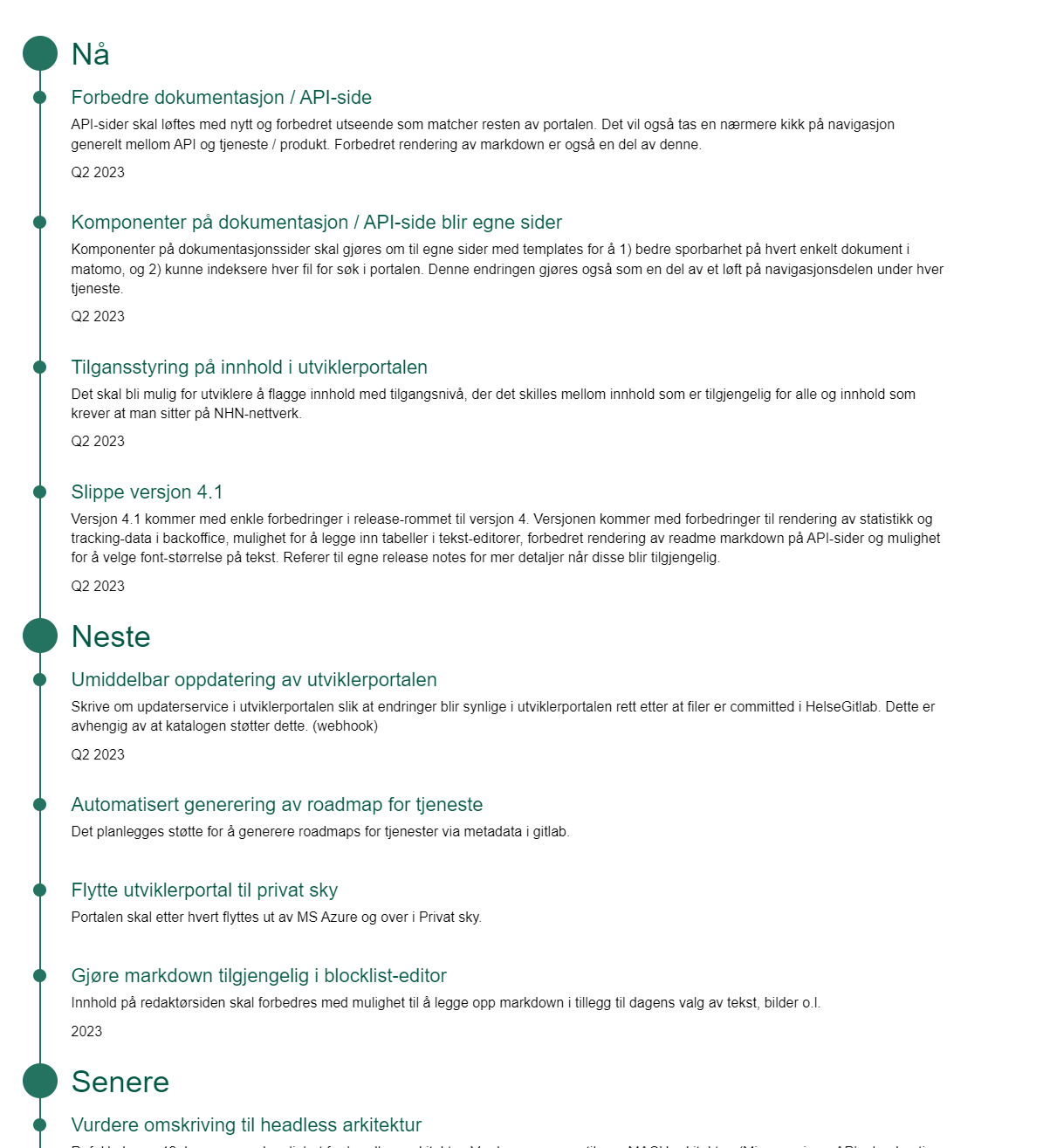
And that just about covers it, as with every other content node you create you will also find input tabs for listing settings as well as SEO and sharing, so feel free to add some content here as well!
As an editor you might also be interested in the Release Notes template. If however you wish to deep-dive into the documentation page and its functions you should take a look the "developers" section of our documentation!
Note that you can also create and maintain releasenotes from the repository.